
A frame to video workflow needs a clear starting image and a description of the intended movement. It differs from video face swap, which edits footage that already moves. Review the full generated clip and its actual duration.
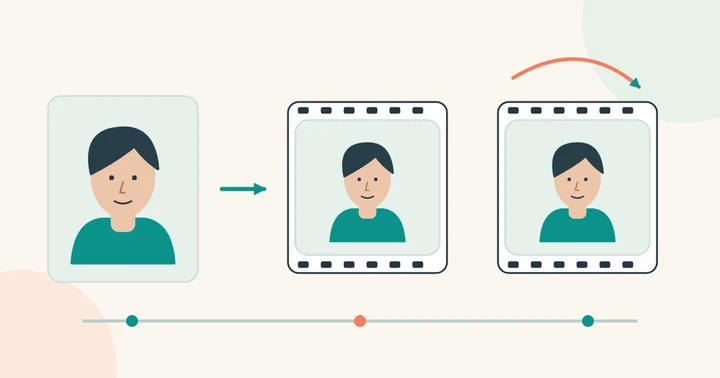
Start by deciding whether the motion already exists
If you already have an authorized video with the pose and action you want, a video face swap can replace a face within it. If you only have a photograph and want it to move, you need a separate image-to-video or animation tool.
Text-to-video, reference-to-video and first/last-frame generation are also generation workflows. They can invent camera motion, backgrounds and body movement, which this studio does not control.
Choose between reference images and first/last frames
In a first/last-frame workflow, two still images define the intended opening and ending; the generator creates the movement between them. A reference image may instead guide a subject or style without fixing the final frame. Check the chosen tool’s controls before preparing the images. Google documents a first/last-frame video workflow, for example.
Use compatible framing and a believable change in pose or camera position. Write a brief describing the connecting action, then inspect the entire result: correct endpoints do not guarantee consistent faces, clothing or motion between them.
Generating a transition from stills is also different from inserting intermediate frames into an existing clip to smooth motion. AISWAPFACE offers neither control; its video workflow requires footage that already exists.
Distinguish a frame sequence from a motion reference
If you already have every frame, a video editor can assemble them at your chosen frame rate without inventing motion. Two endpoint pictures are different: a generator must create the frames between them.
To animate a photo into a dance or transfer movement from another clip, choose a tool with motion-reference controls. Use a permitted reference with compatible framing, visible limbs and a simple action. Check feet, hands, clothing and identity throughout the result. AISWAPFACE does not transfer poses or create this motion; it edits a face in existing footage.
Keep an animation brief simple
For an image-to-video project elsewhere, define one main action, the camera behavior and the desired clip length. A clear portrait with visible hands and a simple background gives you fewer hidden details to reconstruct than a crowded, tightly cropped scene.
Ask for a subtle movement before attempting complex interactions. The larger the change from the still image, the more content the generator must invent. Preserve the original and inspect whether the face and clothing remain consistent.
Review generated motion before any further edits
Watch for identity changes, distorted hands, inconsistent backgrounds and unnatural transitions. A face swap cannot reliably repair every error in generated footage.
Specialized workflows include talking portraits and consensual interaction videos. These guides explain their requirements; they are not active generation tools on this site.