
Upload files from your phone or computer, choose the people to edit and review the result. It is an upload-based browser app, not a live webcam or virtual-camera face filter.
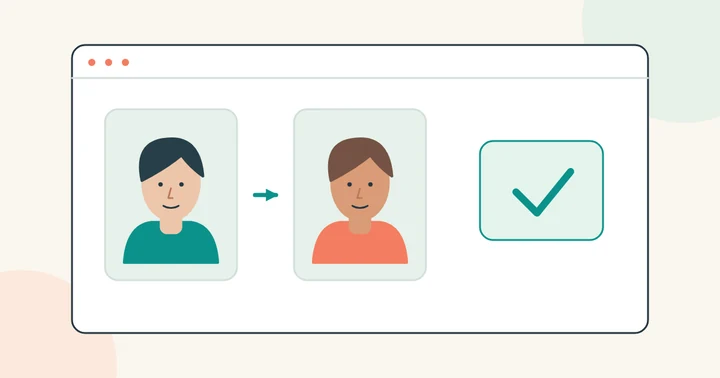
Start on iPhone or Android
- Open AISWAPFACE in your browser and create an account or sign in.
- Tap the source upload area and choose an image or clip from your device. Export HEIC images as JPG or PNG if needed.
- Add a clear face photo, review the settings and confirm permission to use the media.
- Download the result. Check your browser downloads or Files app if it does not appear in your photo library.
What the browser app needs
Processing requires an internet connection and an account. The site is not an offline editor. Uploading a long video over mobile data can take time; a stable connection and a short test clip make the first attempt easier.
Photos can be JPG, PNG or WEBP. The studio also accepts animated GIFs and MP4, WEBM or MOV videos. Source uploads are limited to 200 MB and replacement portraits to 20 MB.
Live webcam swapping needs a different workflow
This browser studio processes uploaded files and returns a finished result. It does not transform a live camera feed, create a virtual camera or connect to a video call. A browser shortcut does not add those controls.
For live use in another tool, check your operating system, hardware requirements and the output accepted by your calling or streaming app. The Swapface Windows manual gives an example of separate camera-input and virtual-camera-output stages; Swapface is a different service.
Before a live session, record a short test with a consenting participant. Check delay, head turns, mouth movement and facial edges, then confirm that the receiving app shows the intended feed. If you already have a recording, use video face swap instead of setting up a live camera pipeline.
Save a shortcut, or keep using the website
You can bookmark the studio in your browser. Some browsers also offer an Add to Home Screen or similar shortcut action in their menu. The available menu and behavior depend on your browser and operating system.
AISWAPFACE does not require an APK, browser extension or app-store download. A home-screen shortcut still opens the web service; it does not add offline processing or unlimited free swaps.
Choose the format that fits your project
For a profile-style picture, use photo face swap. For existing footage, use video face swap. For animated reactions, read the GIF workflow and format limits.
AISWAPFACE is free right now. No credits or payment needed.